


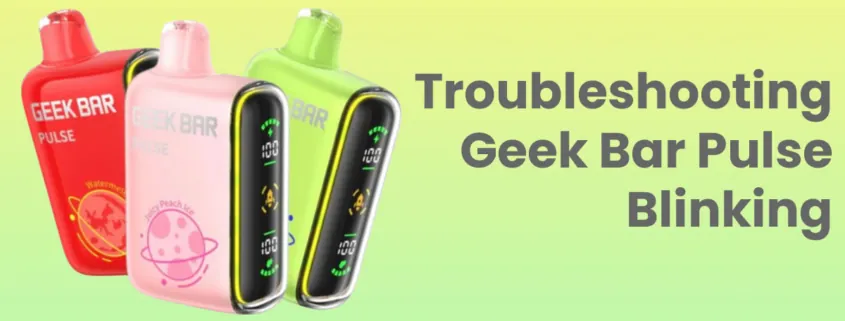
If you’re anything like me, your Geek Bar Pulse is your go-to device for smooth, flavorful hits. But what happens when it starts acting up? Maybe the airflow feels off, or the LED screen glitches. Before tossing it out, let’s talk about how to reset a Geek Bar Pulse without damaging it. Trust me, a simple reset can get your geekbar vape back to peak performance.
Why Would You Need to Reset a Geek Bar Pulse?
Even though Geek Bar Pulse vapes are designed for reliability, they aren’t immune to occasional hiccups. Here are some common reasons you might need a reset:
- Unresponsive LED screen – The screen may freeze or stop displaying properly.
- Weak or inconsistent vapor production – If your hits feel weaker than usual, a reset might fix it.
- Charging issues – The device might not charge properly or may not hold a charge.
- Burnt or off-tasting flavor – Sometimes, the chip inside needs a reset to correct power delivery.
- Auto-firing issues – If your geekbar vape keeps firing on its own, a reset can help.
Now, let’s go over the safest way to reset a Geek Bar Pulse without causing any damage.
How to Reset a Geek Bar Pulse: Step-by-Step Guide
1. Try the Simple Power Cycle
Before attempting any complex methods, a basic power cycle can resolve minor glitches:
- Take a few short puffs to check the device’s status.
- Stop using the device for a few minutes – Let it rest.
- Plug it into a charger and wait a few seconds.
- Unplug it and try vaping again.
This quick process can sometimes fix minor software issues in the geekbar vape without further steps.
2. Soft Reset Method
If your Geek Bar Pulse is still unresponsive, try a soft reset:
- Locate the airflow intake or USB port.
- Blow gently into the airflow sensor – This can sometimes dislodge debris that affects the sensor.
- Insert and remove the charging cable multiple times to see if the LED screen responds.
- Let the battery fully drain, then recharge it to 100%.
This method helps when your device isn’t hitting properly or if the screen isn’t working.
3. Hard Reset (Last Resort)
If the above steps don’t work, a hard reset may be necessary. Here’s how:
- Turn the device upside down.
- Use a small pin or paperclip to gently press the reset hole (if available) near the charging port.
- Hold the reset button for 10-15 seconds to trigger a full device reboot.
- Release and test the device.
Be cautious when using this method, as excessive force could damage internal components.
What NOT to Do When Resetting Your Geek Bar Pulse
how to reset a geek bar pulse is straightforward, but there are a few things to avoid:
- Don’t use excessive force – If pressing the reset hole, be gentle.
- Avoid water or liquid contact – Moisture can damage internal electronics.
- Don’t disassemble the device – Opening up the vape can cause irreversible damage.
- Don’t use non-compatible chargers – Stick to the recommended USB-C cable to avoid power issues.
Preventative Measures to Avoid Resetting
While resetting a geek bar pulse isn’t difficult, it’s best to prevent issues from happening in the first place. Here are some tips:
- Store your vape in a cool, dry place.
- Charge it properly – Don’t leave it plugged in overnight.
- Avoid excessive chain vaping – This can overheat the battery.
- Keep it clean – Wipe the mouthpiece and airflow vents regularly.
When to Replace Instead of Reset
Sometimes, no amount of resetting will save a geekbar vape if it’s at the end of its lifespan. Consider replacing your Geek Bar Pulse if:
- The battery no longer holds a charge.
- The flavor is permanently muted or burnt.
- The screen remains unresponsive after multiple reset attempts.
- You’ve been using it for a long time, and it has reached its puff limit.
Final Thoughts
A malfunctioning Geek Bar Pulse doesn’t necessarily mean it’s time for a new one. With the right reset techniques, you can get your geekbar vape back to working condition in no time. Whether it’s a simple power cycle, a soft reset, or a hard reset, these methods should help you troubleshoot without damaging your device.
Have you ever had to reset your Geek Bar Pulse? Let me know your experience in the comments below!




Leave a Reply